Change prices.
Adjust a dish's price in the editor and publish the new version of your menu.
DIGITAL MENU WITH QR CODE · SOY AGORA
Turn your physical, printed menu into a digital menu for your restaurant, bar or café. Photograph its pages and let AI convert them into editable content. Change dishes and prices whenever you need to, without replacing the QR code on your tables.
Available in the app for iPhone and Android.
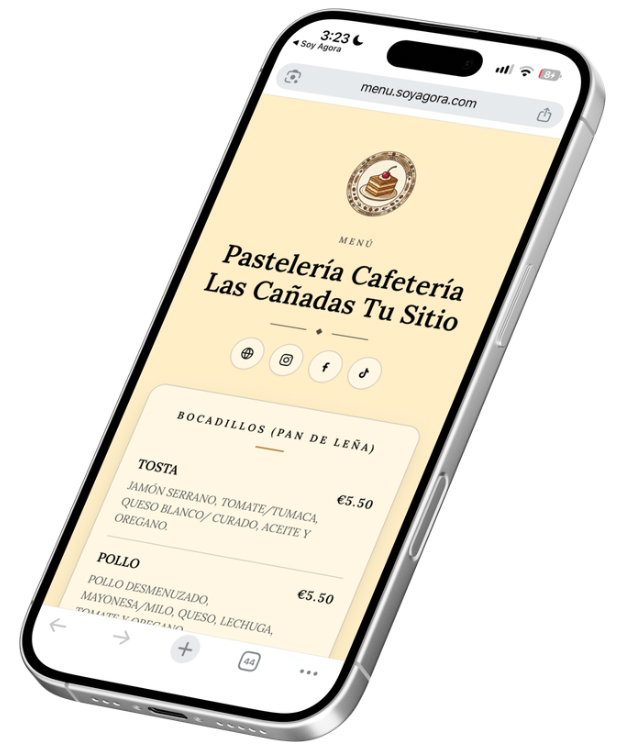
EDITABLE DIGITAL MENU FOR YOUR BUSINESS
An editable digital menu lets you keep your offerings up to date. Publish changes at the same address: the QR code you have already printed for your tables, counter or shop window will still open the updated menu.
Adjust a dish's price in the editor and publish the new version of your menu.
Add new dishes, drinks and descriptions when your offerings change.
Delete products and reorganize your categories so the menu reflects what you offer.
FROM YOUR PAPER MENU TO MOBILE
Digitize your paper menu from your phone. Soy Agora uses artificial intelligence to recognize the dishes, descriptions and prices in your photos and convert them into fields you can edit. Review the result and publish your menu with its link and QR code.
Give it a name to identify it in the app and tap “Create and scan”.
Add a clear photo of each page of your physical menu, with legible text and prices. Tap “Process” so AI can recognize its content.
Check the recognized dishes and prices. Correct the text, organize the categories and add or remove whatever you need before publishing.
Publish your menu and share the link or print its QR code. When you update the menu, the address will stay the same.
It is an online menu your customers view in their phone's browser by scanning a QR code. On Soy Agora, you can organize it by category and edit its dishes, descriptions and prices from the app.
No. The menu's public address stays the same. Publish the changes and the same QR code will still open your updated menu.
Yes. The menu is editable: you can change dishes, descriptions and prices, add products or remove those you no longer offer. Then publish the update.
Photograph the pages of your printed menu and add them in Soy Agora. AI recognizes their content and turns it into an editable menu. Check the dishes, descriptions and prices before publishing it with its QR code.
No. The published menu opens in the browser via the link or QR code. You use the app to create and update it.
Yes. You can organize your offerings by category and show dishes, drinks, descriptions and prices in a single digital menu.
FOR IPHONE AND ANDROID